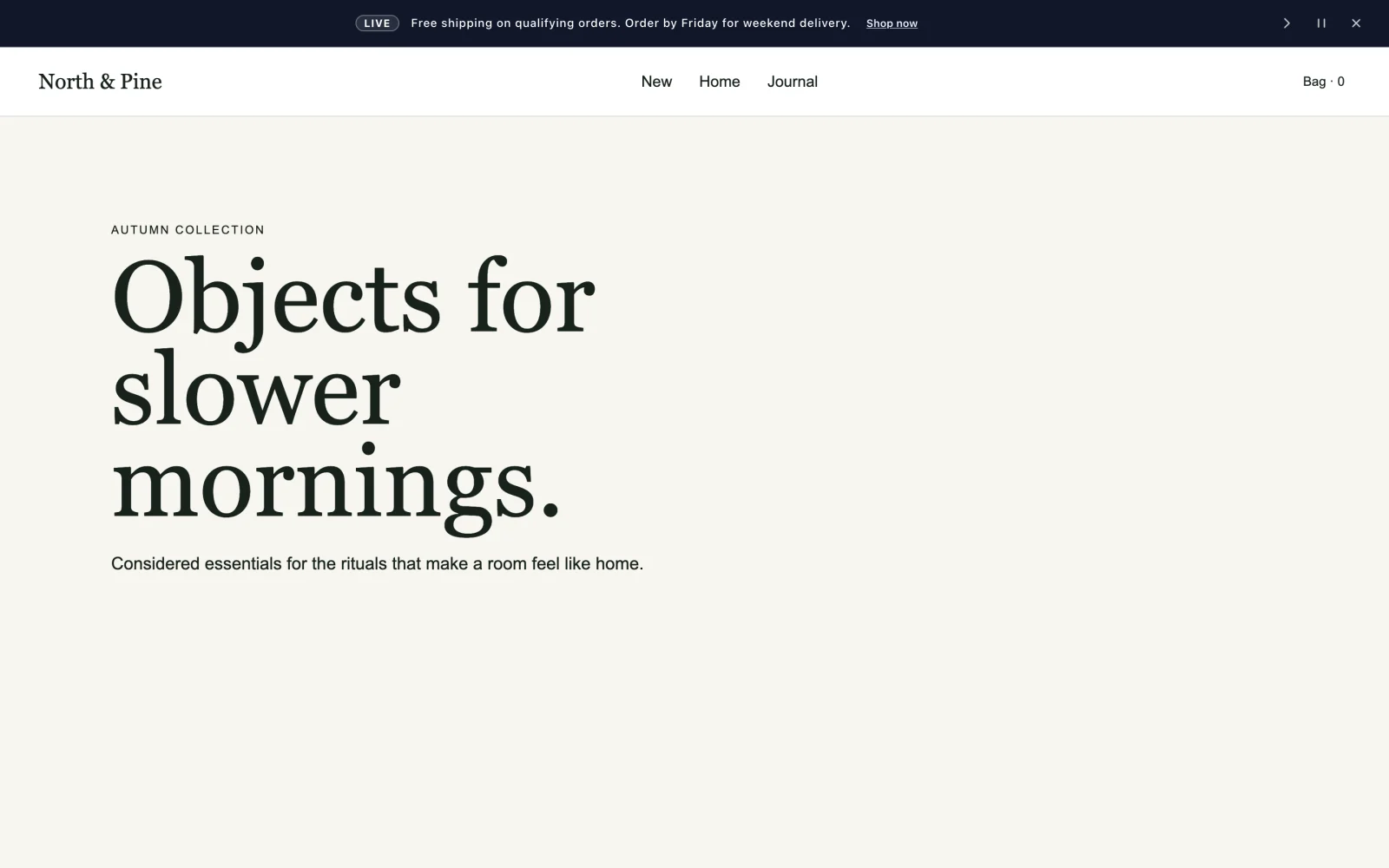
The problem
The sale ended on Sunday. The sale banner didn't.
With Lintel: each message starts and ends on its own at the times you set, in your site's time zone.
Lintel is a dynamic announcement bar for Wix. Sales switch on and off at the right time, countdowns tick down on their own, and every page and device gets the message that fits it.
Sound familiar?
Top bar, header bar, notification bar, promo bar or sales bar: if it only changes when someone remembers to change it, it's quietly working against you. Here's what Lintel takes off your plate.
The problem
With Lintel: each message starts and ends on its own at the times you set, in your site's time zone.
The problem
With Lintel: give any message a live countdown timer that counts itself down, with nothing to update by hand.
The problem
With Lintel: schedule it once and it goes live by itself. Weekly deals repeat on the days you choose.
The problem
With Lintel: show a message only on the pages you pick and only on mobile or desktop. Long messages scroll on small screens.
The problem
With Lintel: Overview flags problems like broken button links and hard-to-read colors, with a fix for each.
The problem
With Lintel: rotate messages one at a time, or run them together as a smooth scrolling banner.
How it works
Three steps, all in your Wix dashboard. No code.
Lintel adds the bar to your site for you. Everything is managed from a page in your Wix dashboard.
Add a message, emoji, badge and button, or start from a template like Flash sale or Free shipping.
Pick the start and end times, pages and devices. Lintel does the switching.
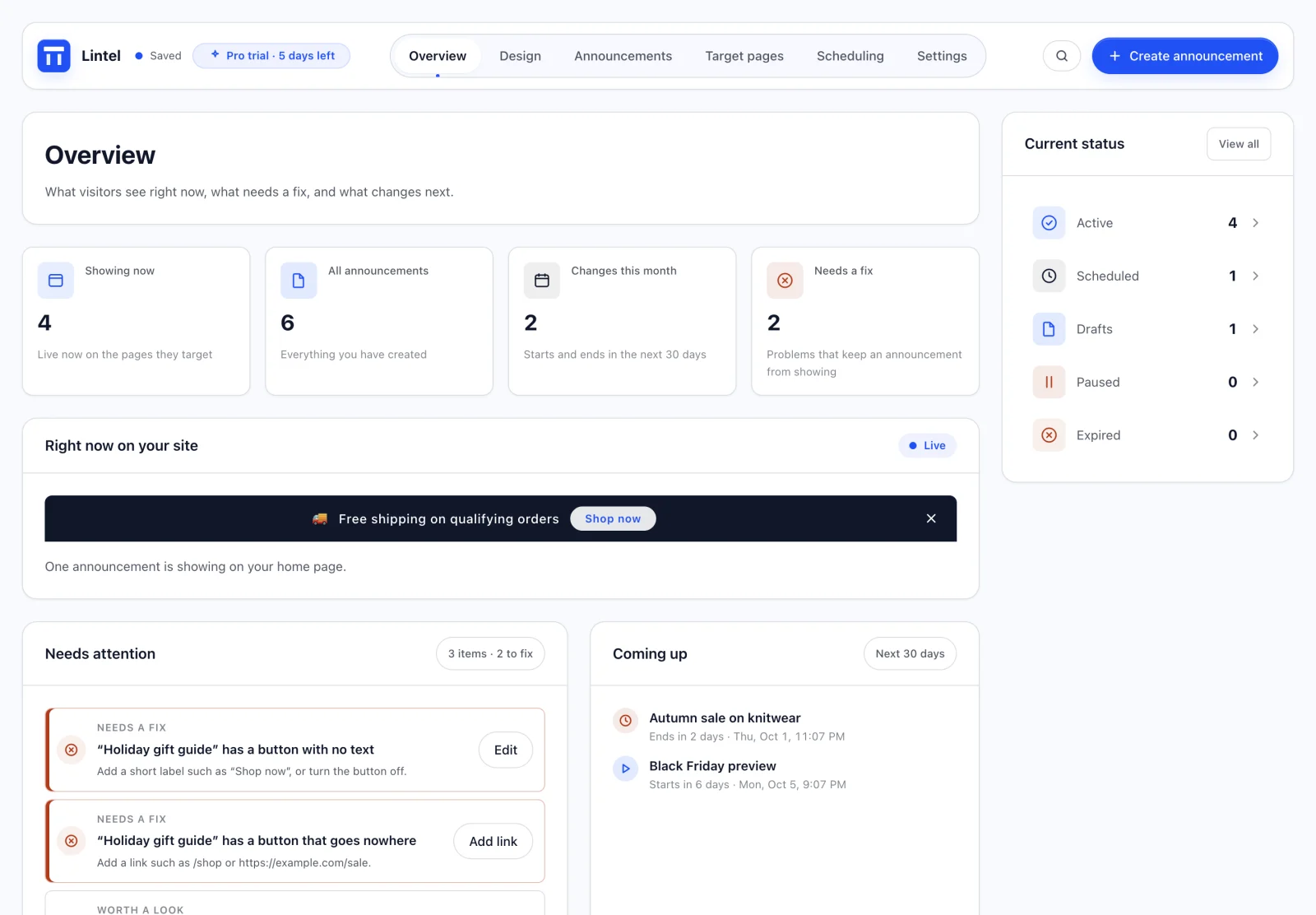
01Overview
Your live bar, what's coming up, and anything that would stop a message from working, on one screen.
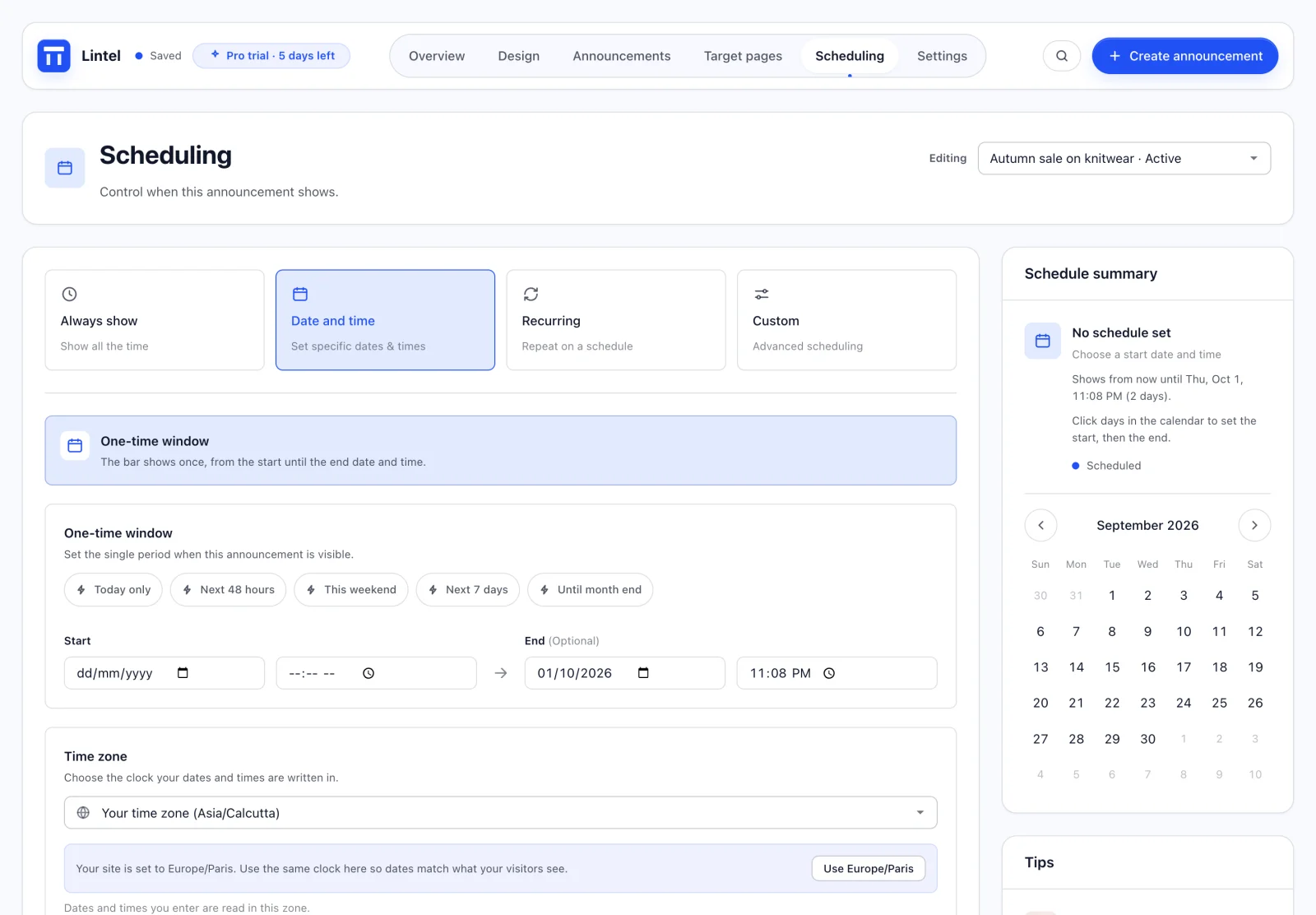
02Scheduling
Set the start and end once. Your promo bar goes live at midnight and comes down when the sale is over, while you sleep.
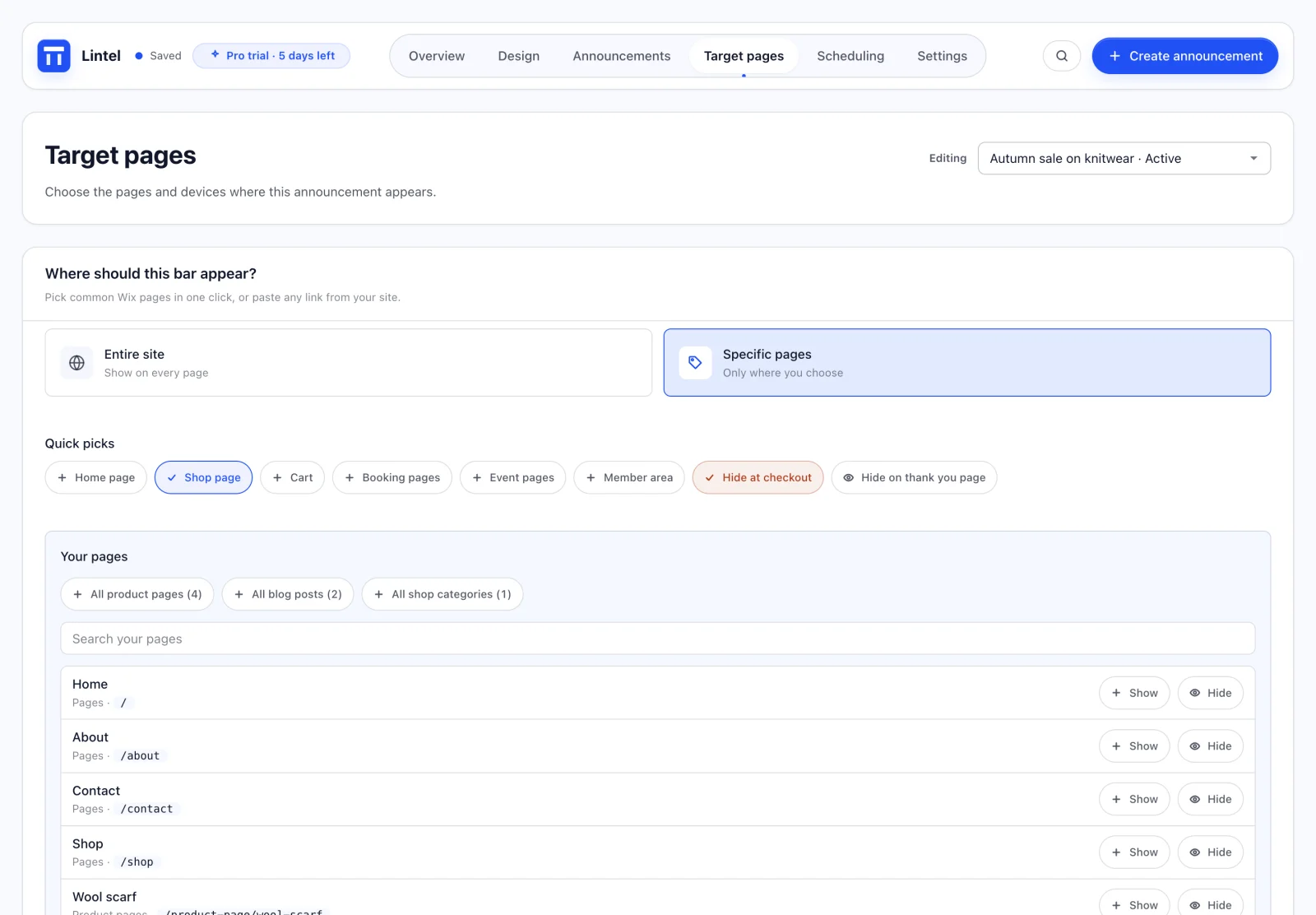
03Targeting
A free shipping bar on your shop, nothing at checkout, a shorter line for phones. Pick from your real pages, with no links to paste.
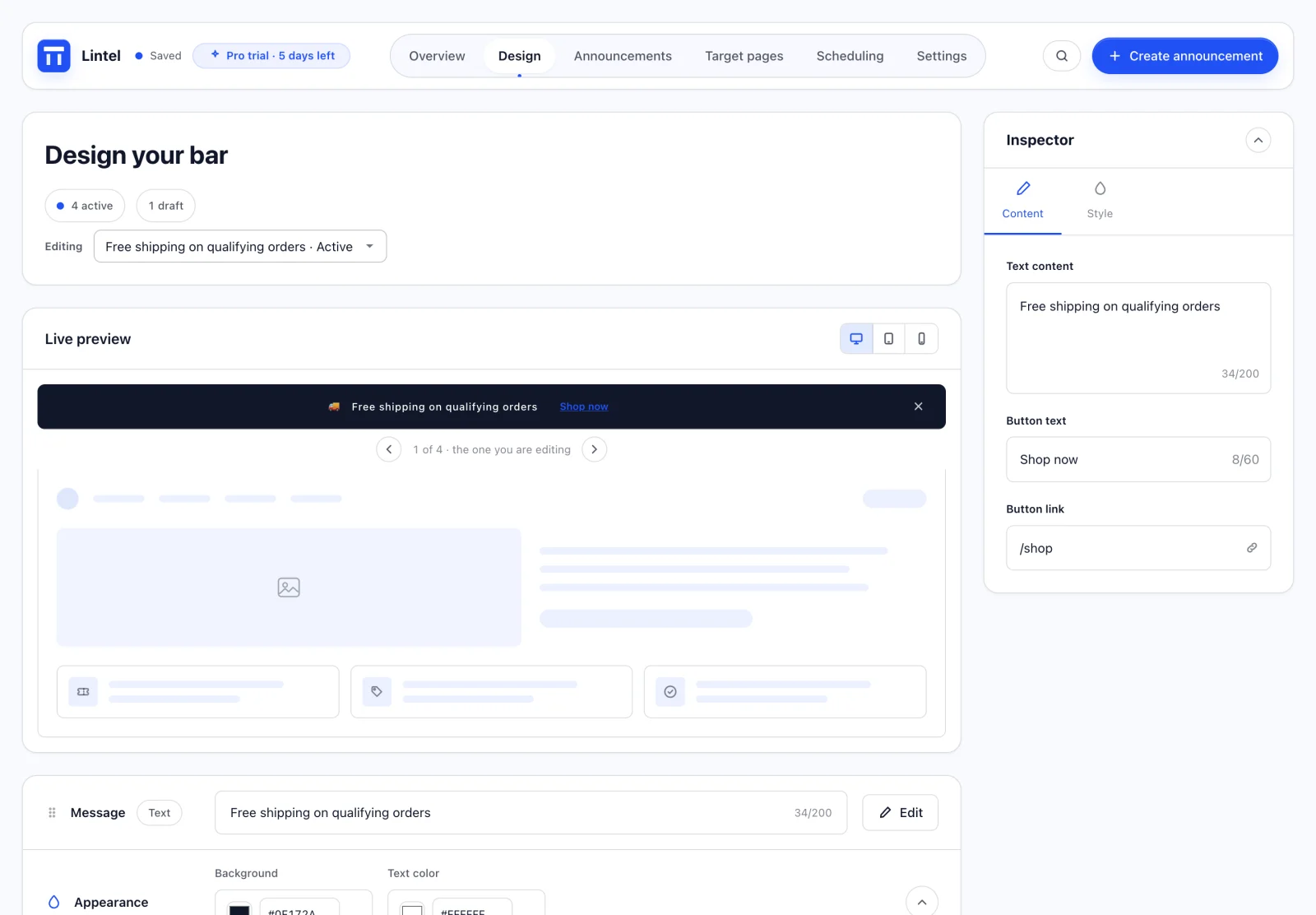
04Design
A header bar that looks like part of your site, not a plugin bolted on top.

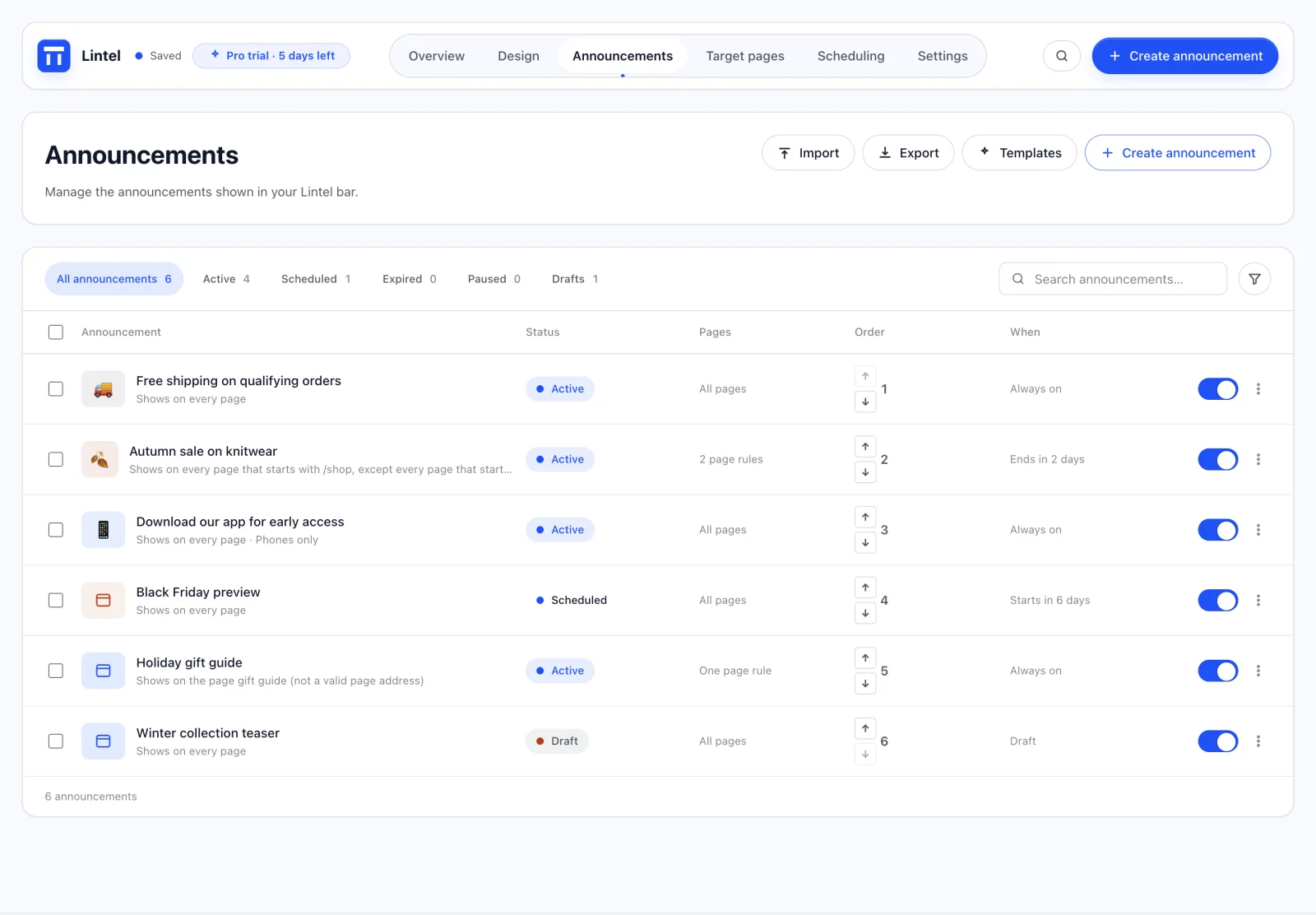
05Announcements
Run several promotions at once, with the status, pages and timing of each in plain words.
See it in motion
Pricing
Every feature from the first minute, no card needed. Then choose Pro or Lifetime to keep your bar running.
Every feature, on your live site.
3 daysfree
No card needed
Run every promotion on time.
$7.99per month
Billed yearly at $95.88. Save $24 a year.
Every Pro feature, with one payment.
$199once
For one Wix site. No renewal.
Prices in US dollars. Wix shows your local price and any tax at checkout and bills through Wix. Pro is available monthly ($9.99) or yearly ($95.88); Lifetime is a one-time purchase for one site.
Privacy
Announcements, settings and your plan record live in your own Wix site, not on our servers. Wix handles every payment.
Lintel never asks visitors who they are and adds no third-party trackers.
What the bar keeps in a visitor's browser follows your site's Wix cookie consent choices.
Questions
Every new site gets 3 days with every feature, no card needed. Choose Pro or Lifetime at any point during the trial to keep Lintel running.
If you haven't chosen a paid plan, Lintel stops: visitors see no bar, and changes are paused until you choose a plan. Nothing you saved is deleted, so your announcements, design and schedules are all there when you choose Pro or Lifetime.
No. The trial needs no card. You only pay, through Wix, when you choose a plan.
No. Lintel has a 3-day free trial with every feature. After that you choose Pro at $9.99 a month or $95.88 a year ($7.99 a month), or Lifetime at $199 once for one site.
Yes. Pro renews until you cancel it, and you can cancel any time from your Wix account under Billing and Payments. Lifetime is a single payment, so there is nothing to renew.
Lifetime is a one-time $199 purchase for one Wix site. It includes every Pro feature, including future Pro features, for as long as Lintel is offered. Choose Get Lifetime from the Plans screen in the app.
The bar receives only the published messages and settings it needs for the page being viewed, never your drafts or future schedule. Lintel adds no third-party trackers, and there is no code or script for you to add.
Yes. The bar works on phones and computers, long messages scroll on small screens, and you can show any message only on mobile or only on desktop.
No. Install Lintel from the Wix App Market and the bar is added to your site for you. You manage everything from a page in your Wix dashboard, and there is a settings panel inside the Wix Editor too.
No. Lintel has no view limits and never adds a badge or branding to your site.
English, Spanish and French. Your announcements can be in any language.
Your announcements, bar settings and a small plan and trial record are stored in Wix Data collections on your own Wix site, not on Bolrio servers. Visitors only receive the published messages the bar needs. See the privacy policy for the details.
Email support@bolrio.com and tell us what you need: a product question, help using Lintel, installation and setup, a bug report, a feature request or a custom request. The Lintel support page also has quick fixes for common questions.

Schedule it once. It goes live, counts down and comes down on time, on the pages you chose.